


How to purchase tickets by cash and miles
How to buy tickets using Cash & Miles
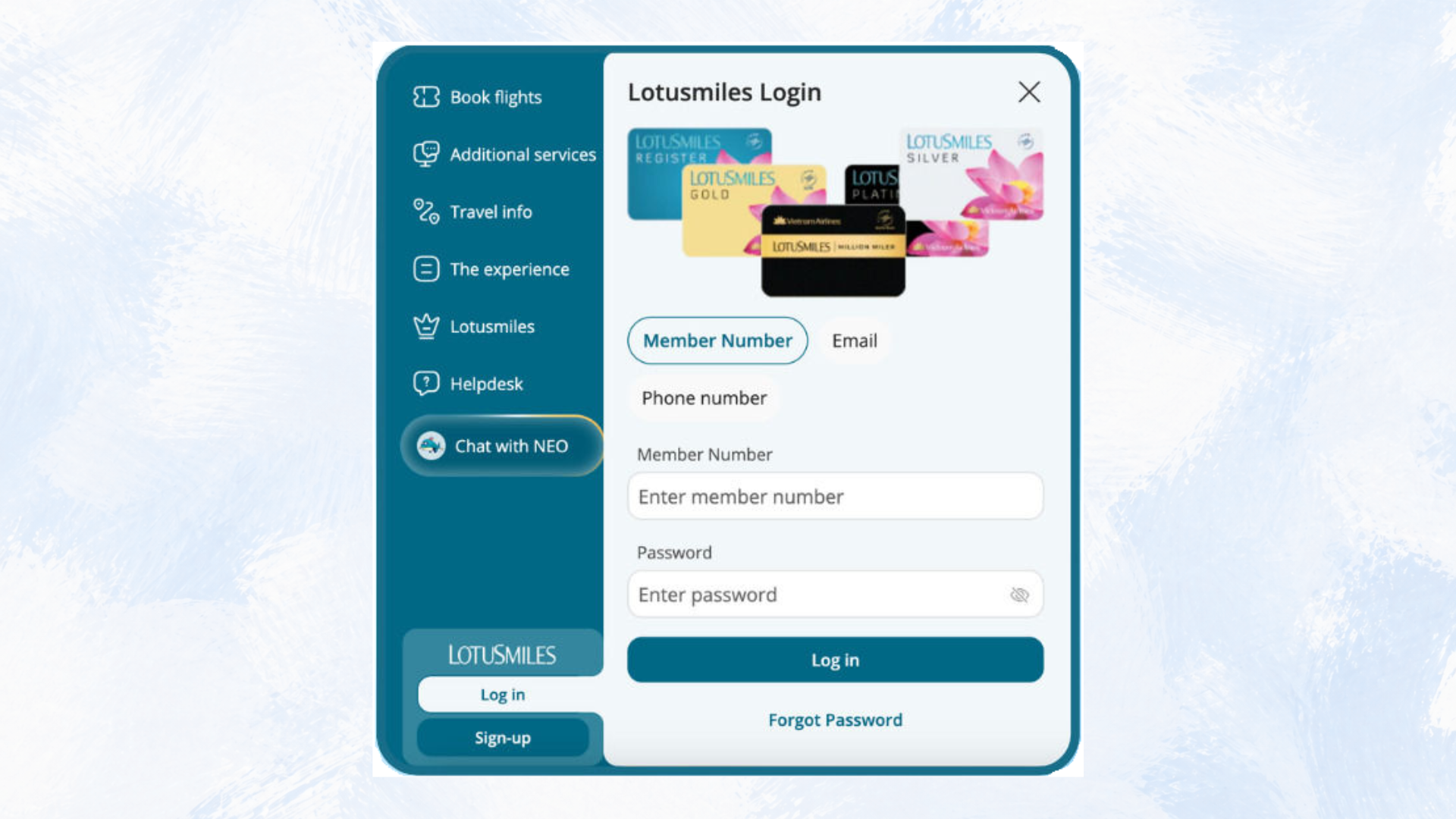
Step 1: Log in your account.
Members can visit vietnamairlines.com, select “Log-in” section at the bottom left, enter the membership number and password, and click "Login".
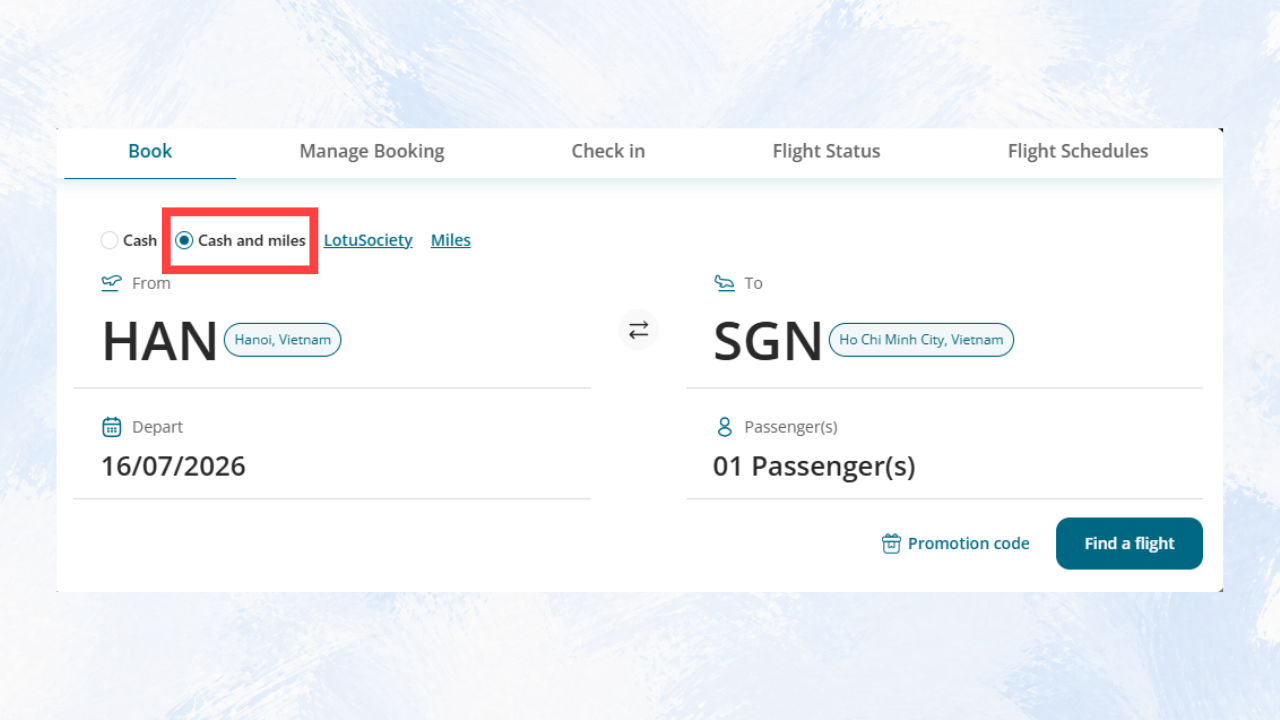
Step 2: Select to buy tickets using Cash & Miles
After successfully logging in, on the homepage, select "Book a Flight", then choose the "Cash & Miles" option. Once you complete these steps, the system will update your booking method, allowing you to purchase tickets using a combination of cash and miles.
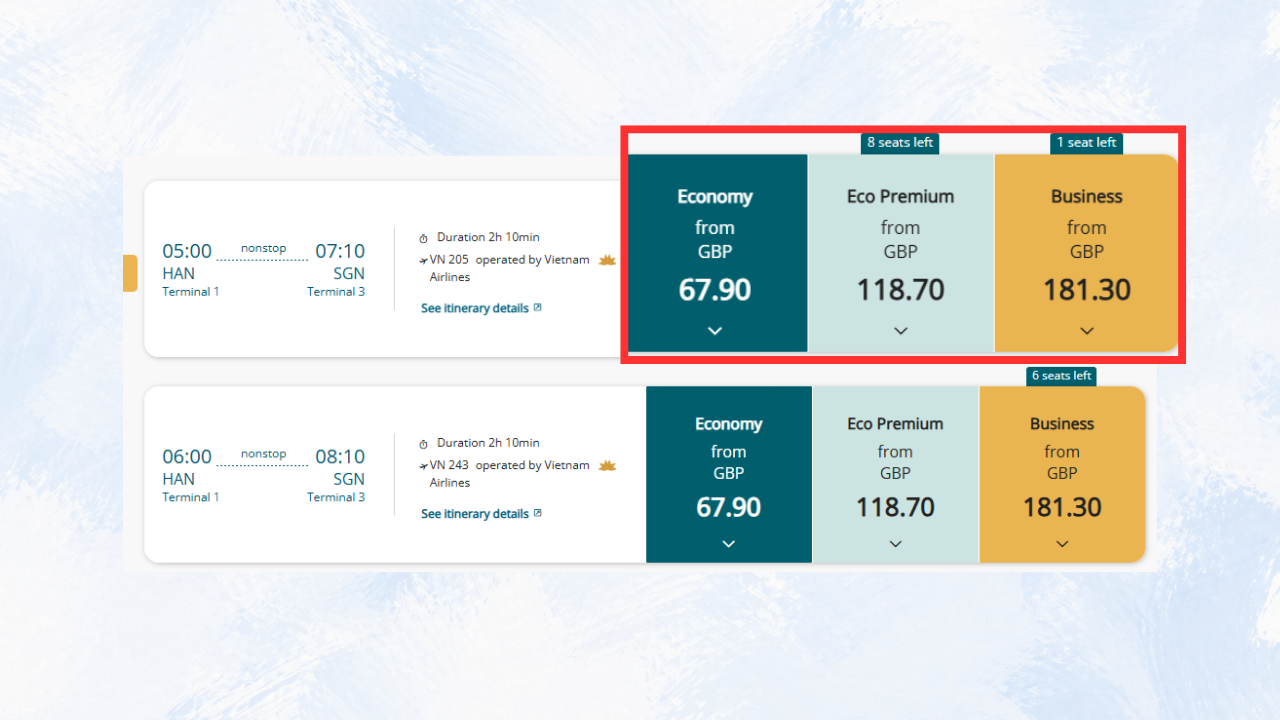
Step 3: Select an itinerary
At the “Choose Flights” screen:
- Select flight time and ticket class: Economy, Premium Economy, or Business (depending on your itinerary), then click the airfare box.
- The system will display the fare and conditions according to the corresponding class of service. Please select an appropriate fare box.
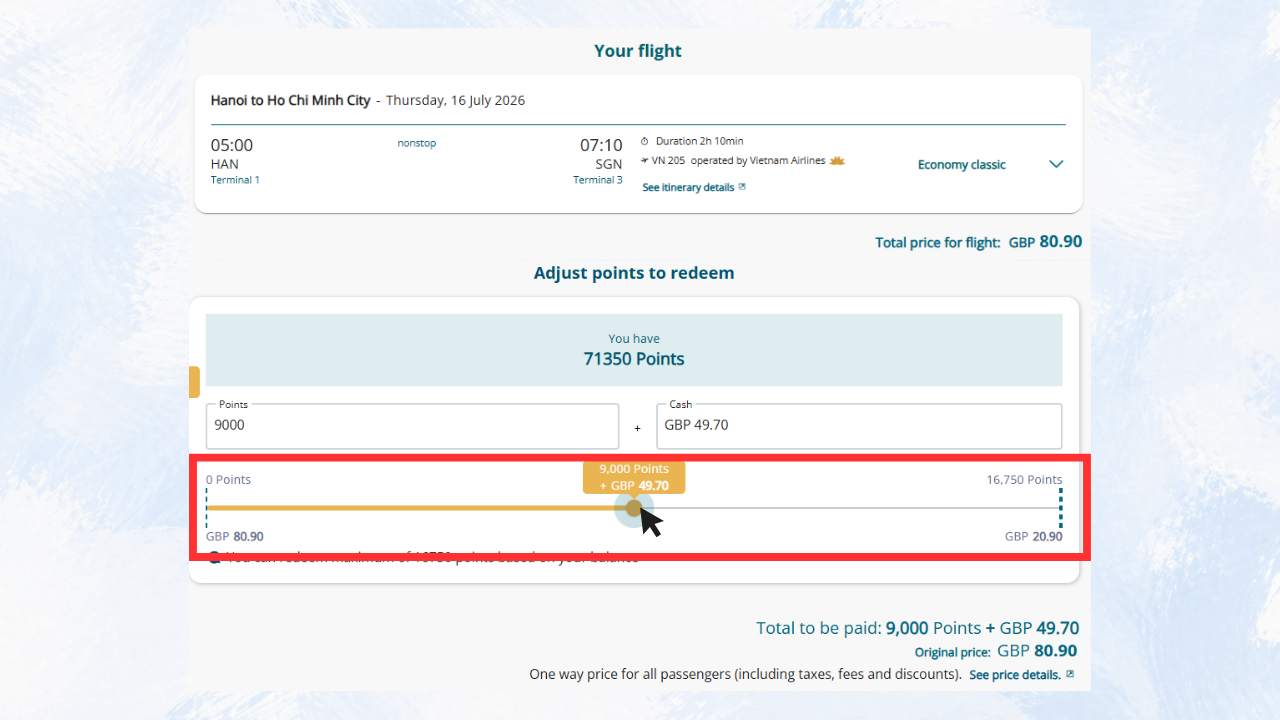
At the “Your flight” screen:
- The system will display the itinerary details, your current Lotusmiles balance, and the "Adjust Points to Redeem" slider.
- Move the slider to adjust the amount of Cash & Miles accordingly. The screen will show the miles used and the remaining amount to be paid.
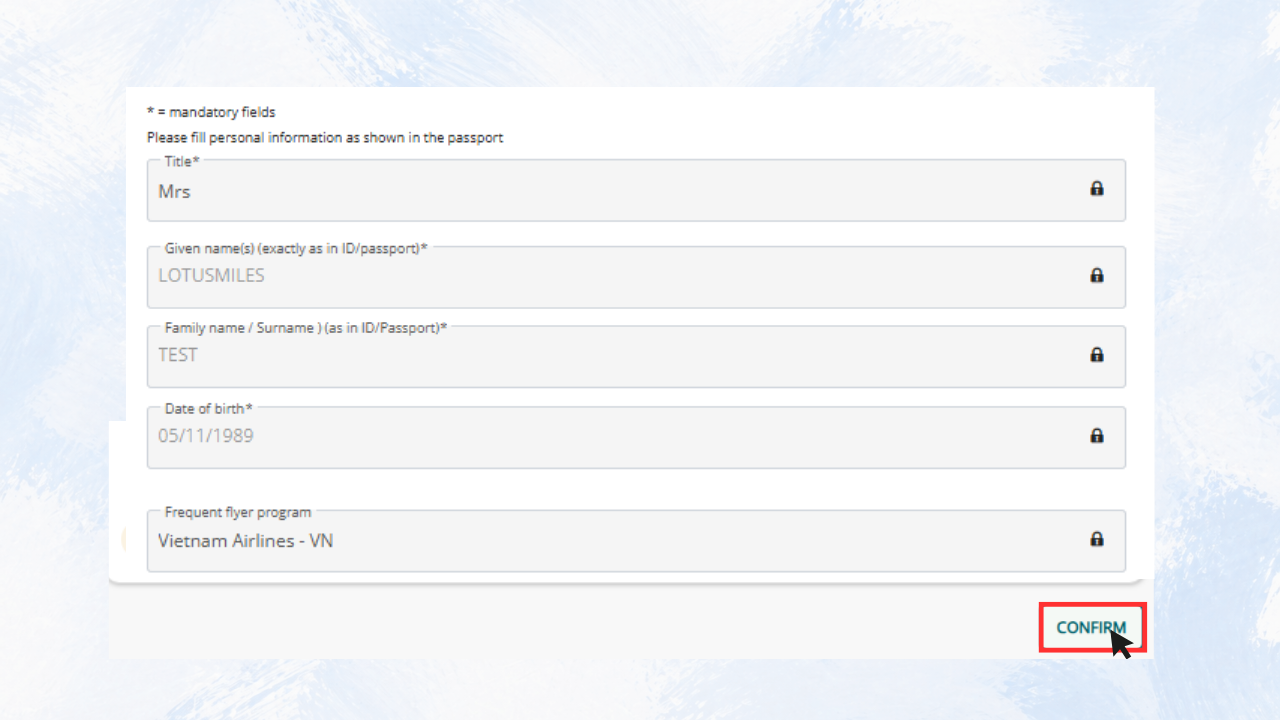
At the “Passenger Infomation” screen:
Check your personal information, contact information so that Vietnam Airlines can contact and send e-tickets to you. Then click 'Confirm' to go to the next step.
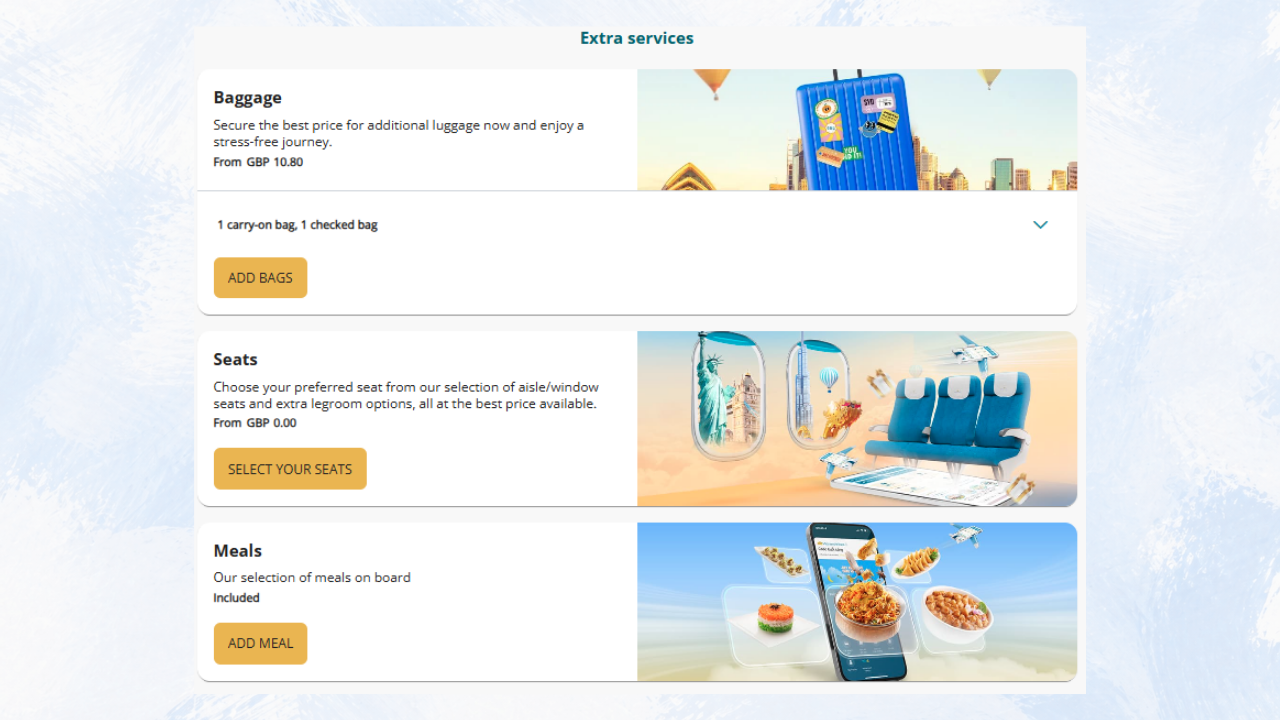
At the “Extra Sevices” screen:
Select the ancillary services as required and press “Continue”.
Step 4: Payment
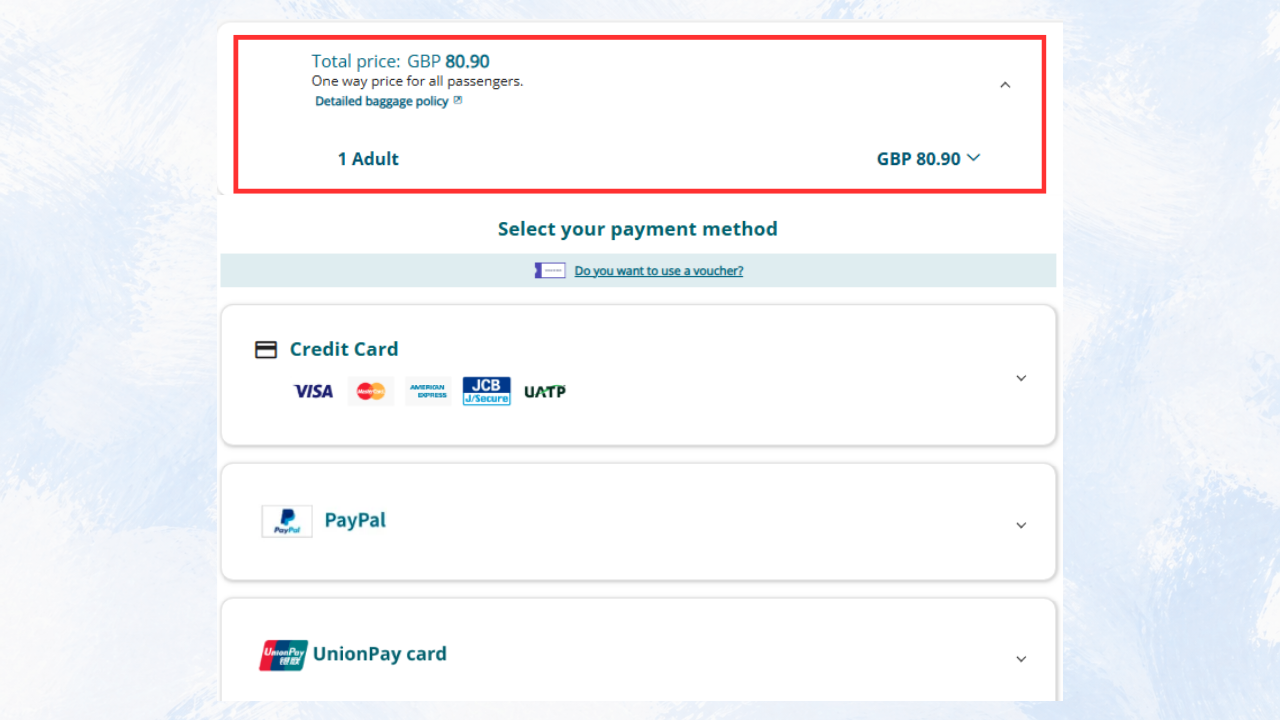
At the “Payment” screen:
Before proceeding with payment, please carefully review all itinerary details, the passenger's personal information, and the total cash amount and miles to be deducted. Then, select your preferred payment method to complete the transaction.
Step 5: Booking confirmation
After the payment is completed, a confirmation of the itinerary and flight ticket information will be sent to your registered email address. If you do not receive an email within 01 hour after successful payment, please contact Lotusmiles support section using the below information.
Contact Lotusmiles Contact Center
For prompt support, please contact one of the following channels:
Lotusmiles Contact Center
- Service time: 24/7;
- Contact Center: 1900 1800 (calls in Vietnam), (+84-24) 3832 0320 (calls from foreign countries);
- Email: vip.lotusmiles@vietnamairlines.com (Million Milers, Platinum, Gold members); or lotusmiles@vietnamairlines.com (Titanium, Silver, registered members).
Contact Vietnam Airlines’ branch offices
Related Information
Are you satisfied with the information found?
What make you dissatisfied with?
What make you dissatisfied with?
What can we do to improve this?
What can we do to improve this?
What information are you looking for?
What information are you looking for?

Thank you for your feedback!
Note:  Link opens in new window. Site may not meet accessibility guidelines.







© 2025 Vietnam Airlines JSC
Contact Center for calls within Vietnam (24/7): 1900 1100
For Lotusmiles members: 1900 1800
For calls from outside Vietnam (24/7): +84 24 38320320
Email: Telesales@vietnamairlines.com
Certificate of Business Registration - No.: 0100107518, Initial registration made on 30 June 2010, the 10th registration of changes made on 24 July 2025.




You are about to leave Vietnamairlines.com

Would you like to continue?
Notice
