

Select region and language




Guides for ticket exchange on the Vietnam Airlines app
Passengers can follow the steps below to exchange tickets on the Vietnam Airlines app:
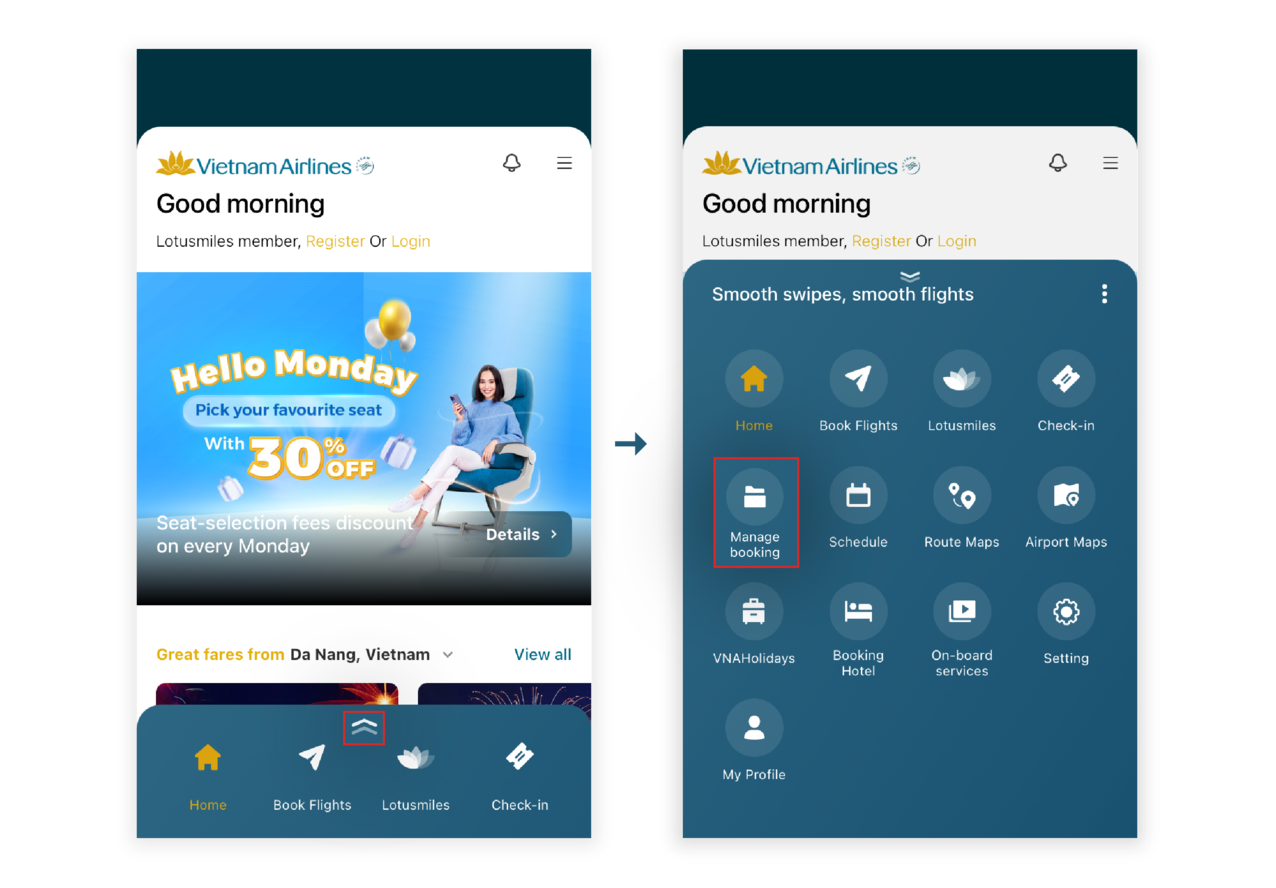
Step 1: Passengers access the Vietnam Airlines app. At the home page, passengers swipe up to open the bottom toolbar and select “Manage Booking”.
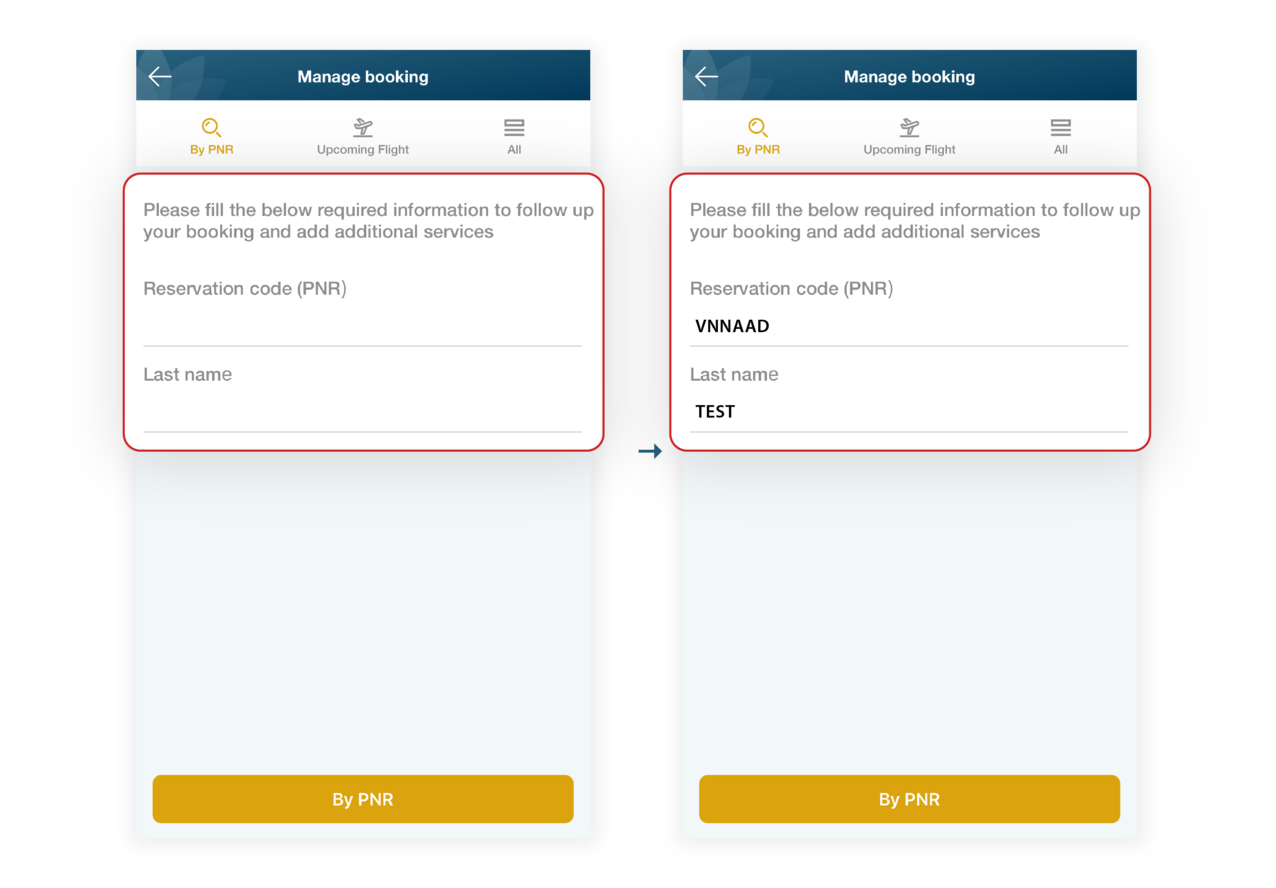
Step 2: At the "Manage Booking" screen, passengers enter the reservation code (PNR), last name, and email used to purchase the ticket, then select "By PNR".
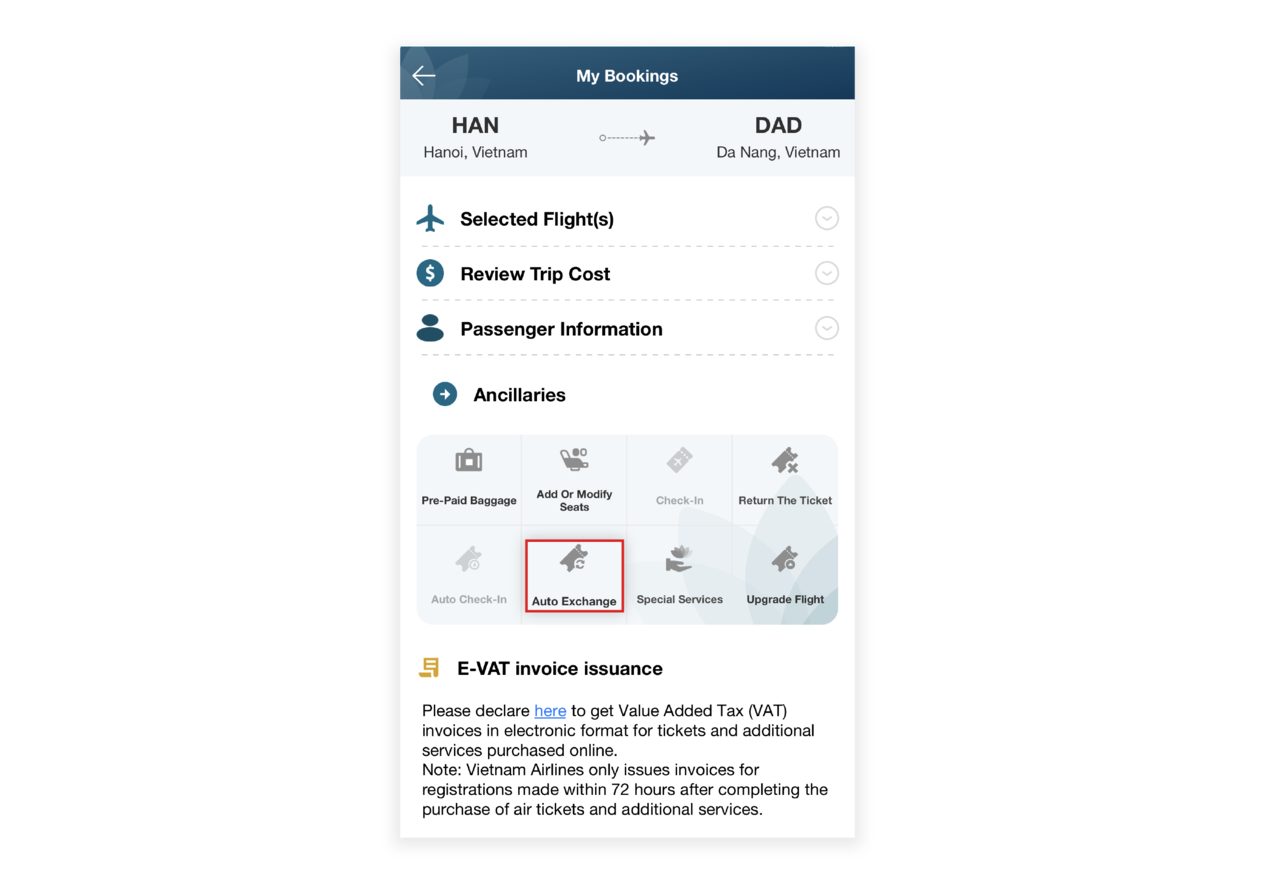
Step 3: In the “My Bookings” screen, scroll down to the “Ancillary services” section and select “Automatic ticket exchange”.
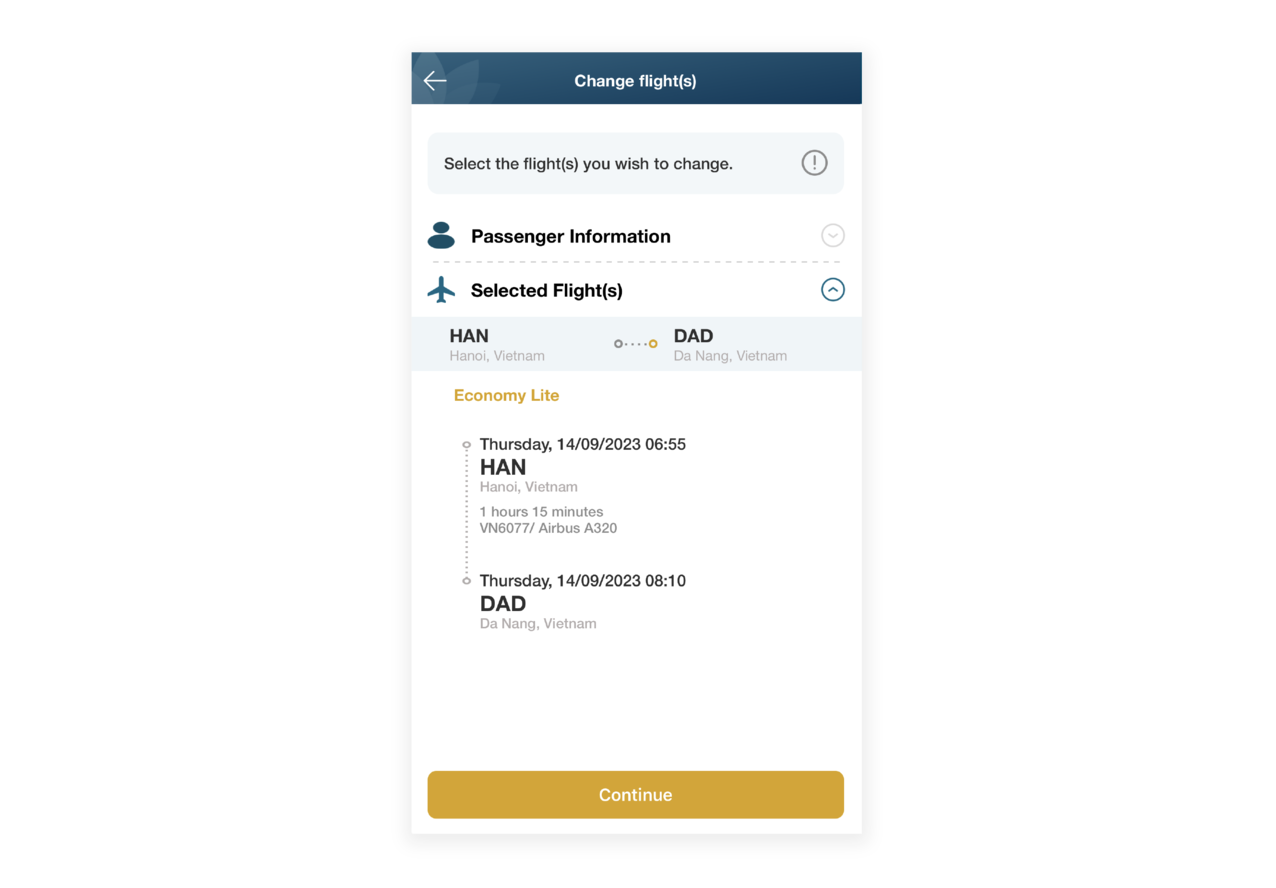
Step 4: Check the information, select the flight required exchange, and then click “Continue”.
Step 5: In the "Search for New Flight" screen, select the departure location, new destination, travel date, and ticket class as required. Once completed, select "Continue".
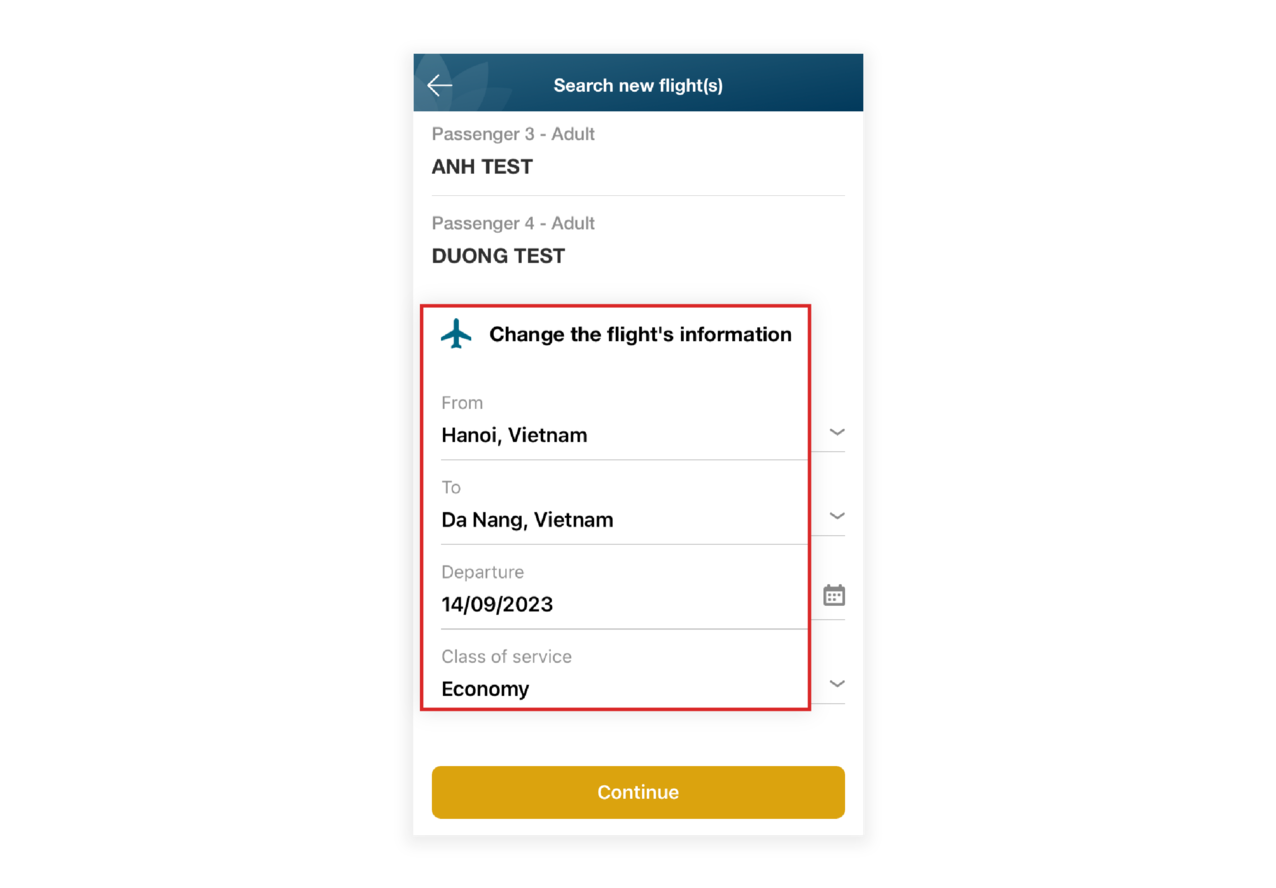
Step 6: At the new screen, proceed to pay for the difference (if applicable).
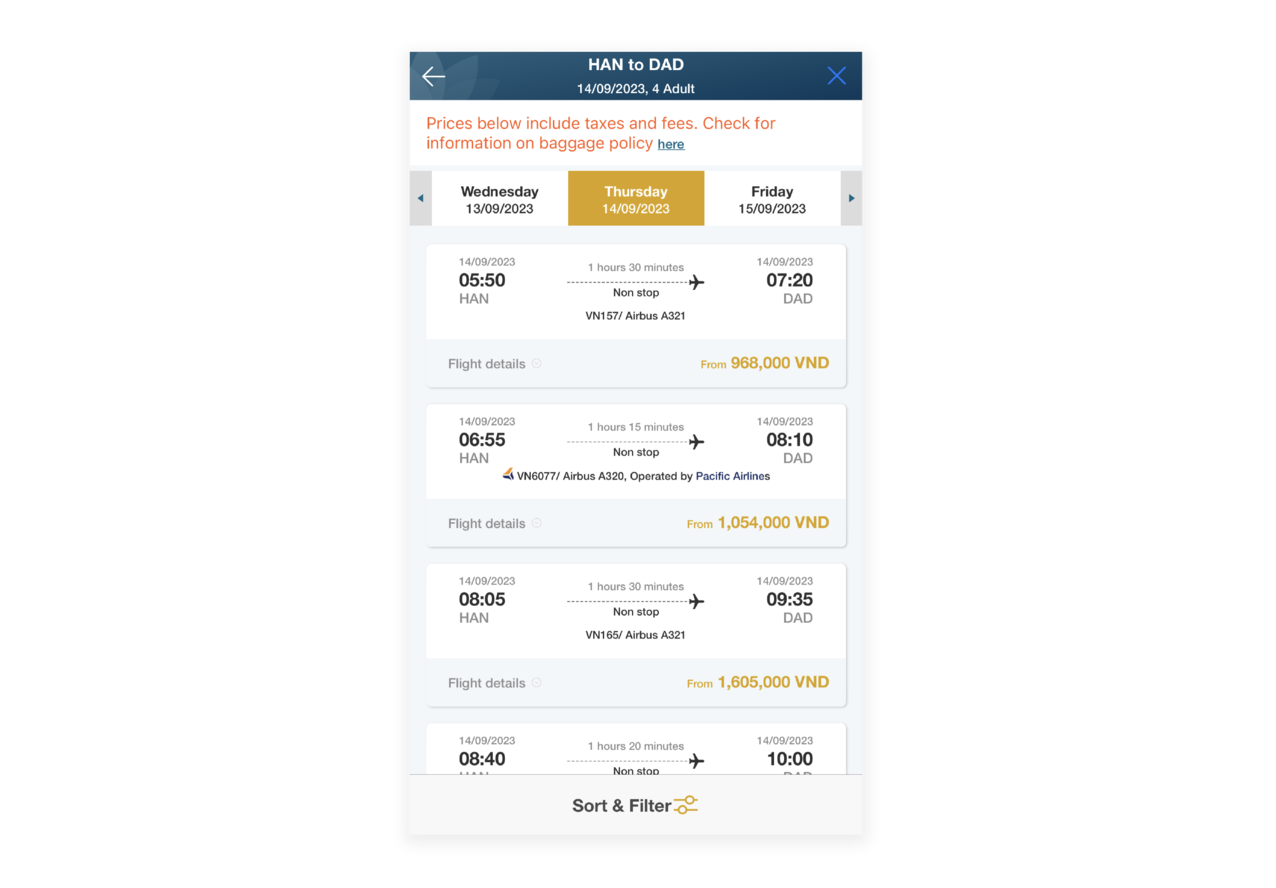
After paying the difference, Vietnam Airlines will send a ticket exchange confirmation and a receipt to the email address registered when purchasing the ticket. If passengers do not receive a confirmation email from Vietnam Airlines within one hour of the successful exchange, please contact the online ticket help desk via telephone number at 19001100, email onlinesupport@vietnamairlines.com, or Vietnam Airlines’ sales offices for assistance.

Are you satisfied with the information found?
What make you dissatisfied with?
What make you dissatisfied with?
What can we do to improve this?
What can we do to improve this?
What information are you looking for?
What information are you looking for?
If you require a response, please access our Feedback page.
Service feedback.
0/200

Thank you for your feedback!
Note:  Link opens in new window. Site may not meet accessibility guidelines.






© 2025 Vietnam Airlines JSC
Contact Center for calls within Vietnam (24/7): 1900 1100
For Lotusmiles members: 1900 1800
For calls from outside Vietnam (24/7): +84 24 38320320
Email: Telesales@vietnamairlines.com
Certificate of Business Registration - No.: 0100107518, Initial registration made on 30 June 2010, the 10th registration of changes made on 24 July 2025.




You are about to leave Vietnamairlines.com

You will be redirected to a website that is not owned by Vietnamairlines and is not within our control. The site may not follow the same accesibility polices as Vietnam Airlines.
Would you like to continue?
Would you like to continue?
Notice

According to regulations of the Ministry of Finance, E-VAT invoices are only issued for payment in VND. In case of paying by other currency, please change website country/region.