
With Online Check-in, passengers can actively check in using Vietnam Airlines' website or mobile app.


Select region and language



How to check in online
To check-in online on the Vietnam Airlines website, passengers follow the steps below.
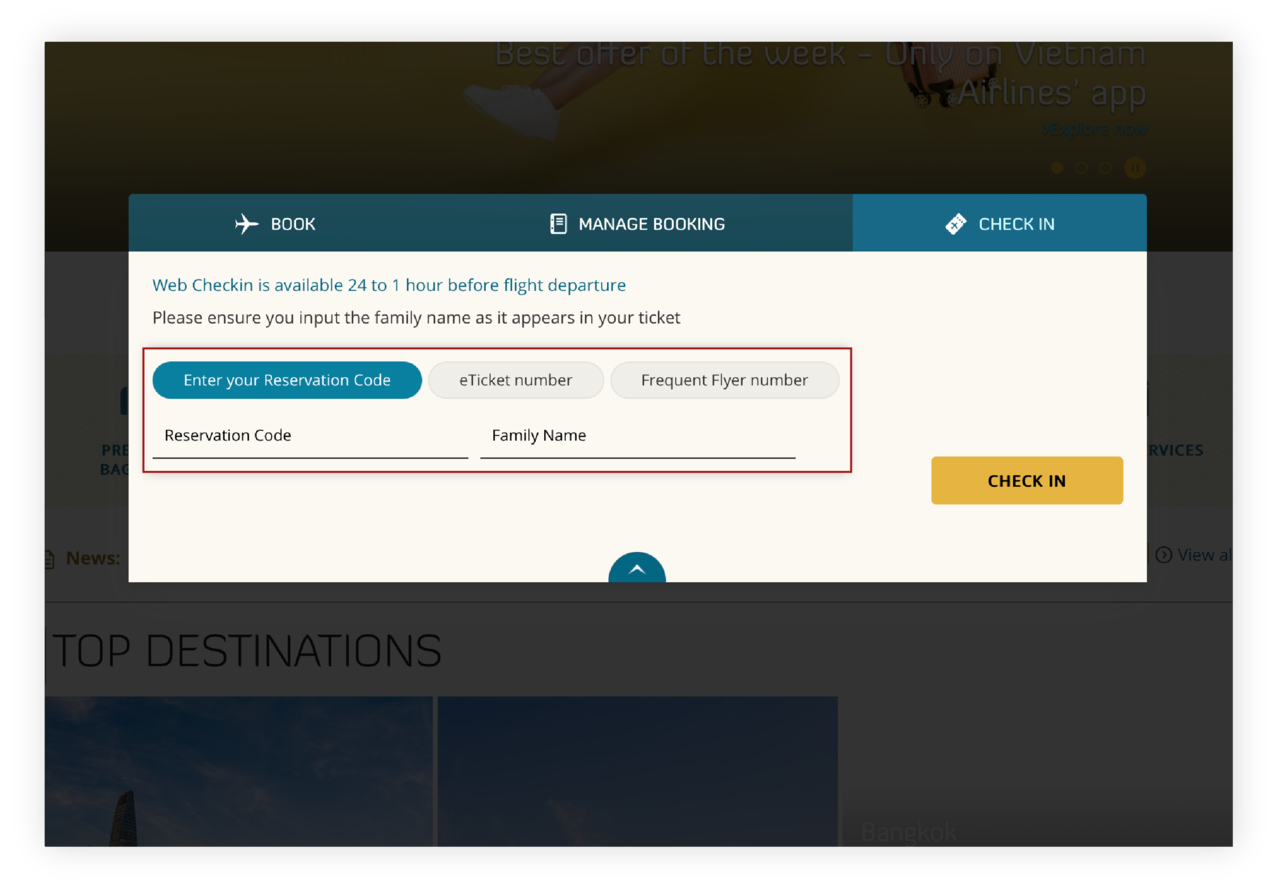
Step 1: Passengers go to the website vietnamairlines.com, at the "Check-in” section, enter the Reservation Code (PNR) and Family Name, and click "Check in".
Step 2: Check the information again and select “Start check-in”;
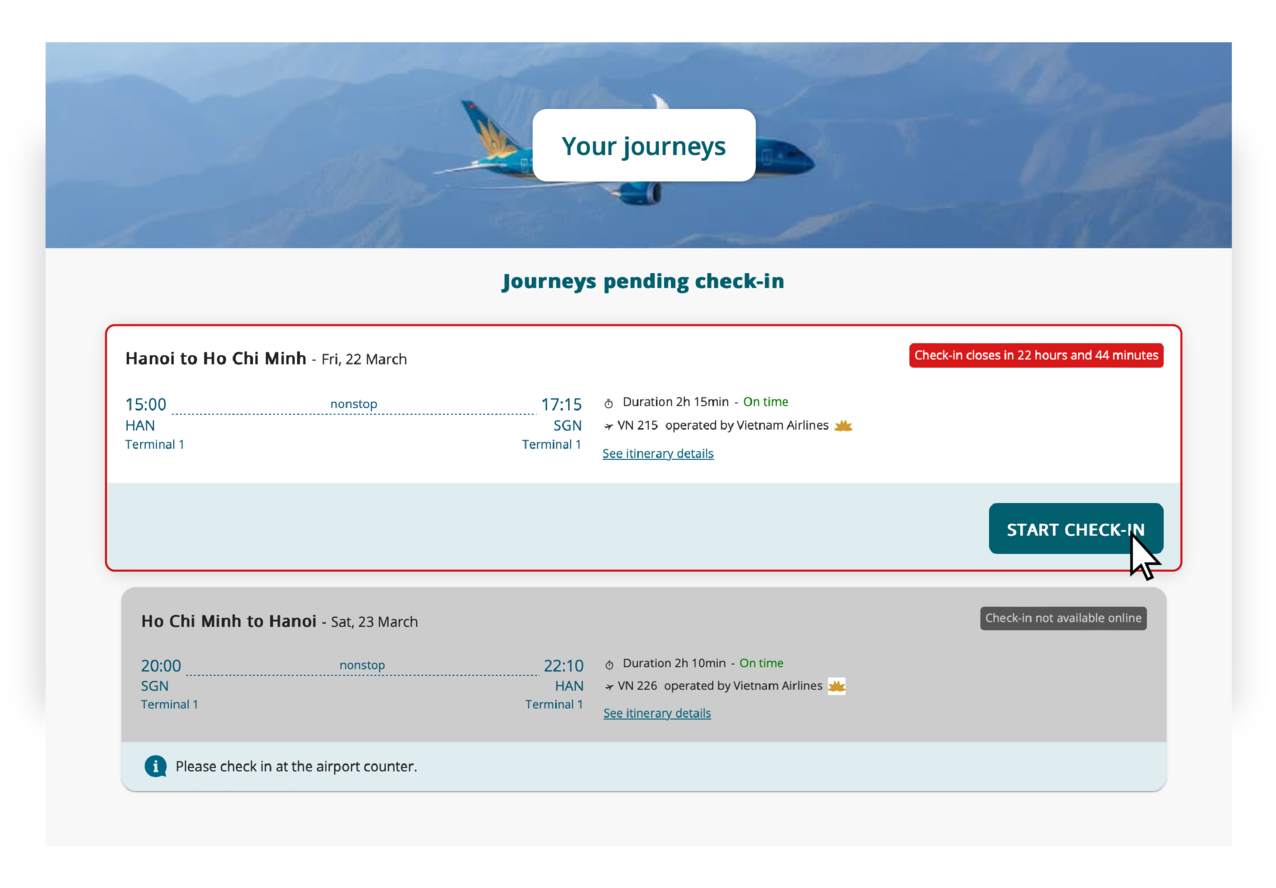
Step 3: Check the information in the reservation code and supplement frequent customer information, or proceed to check in for another reservation code (if desired).

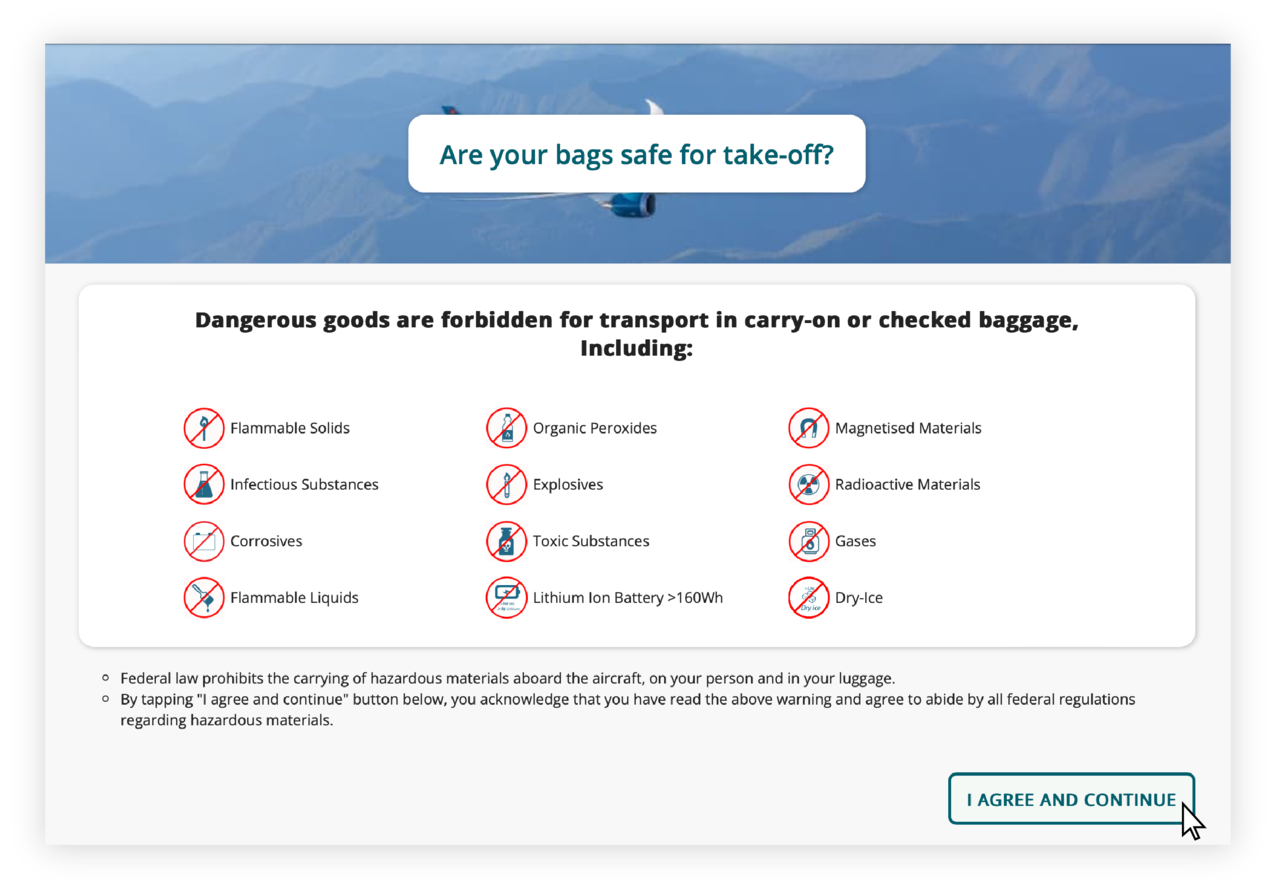
Step 4: Confirm consent to the passenger's regulations on baggage restrictions.
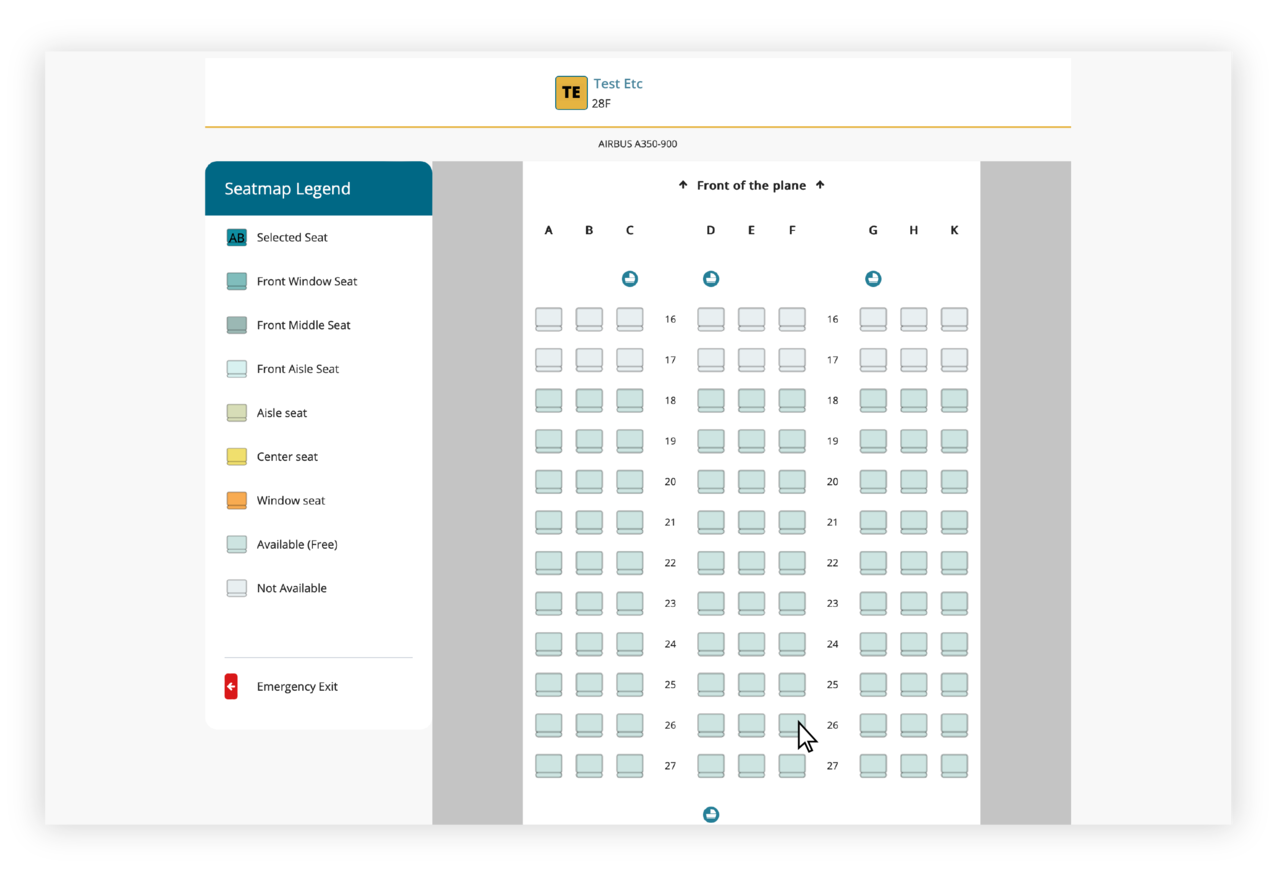
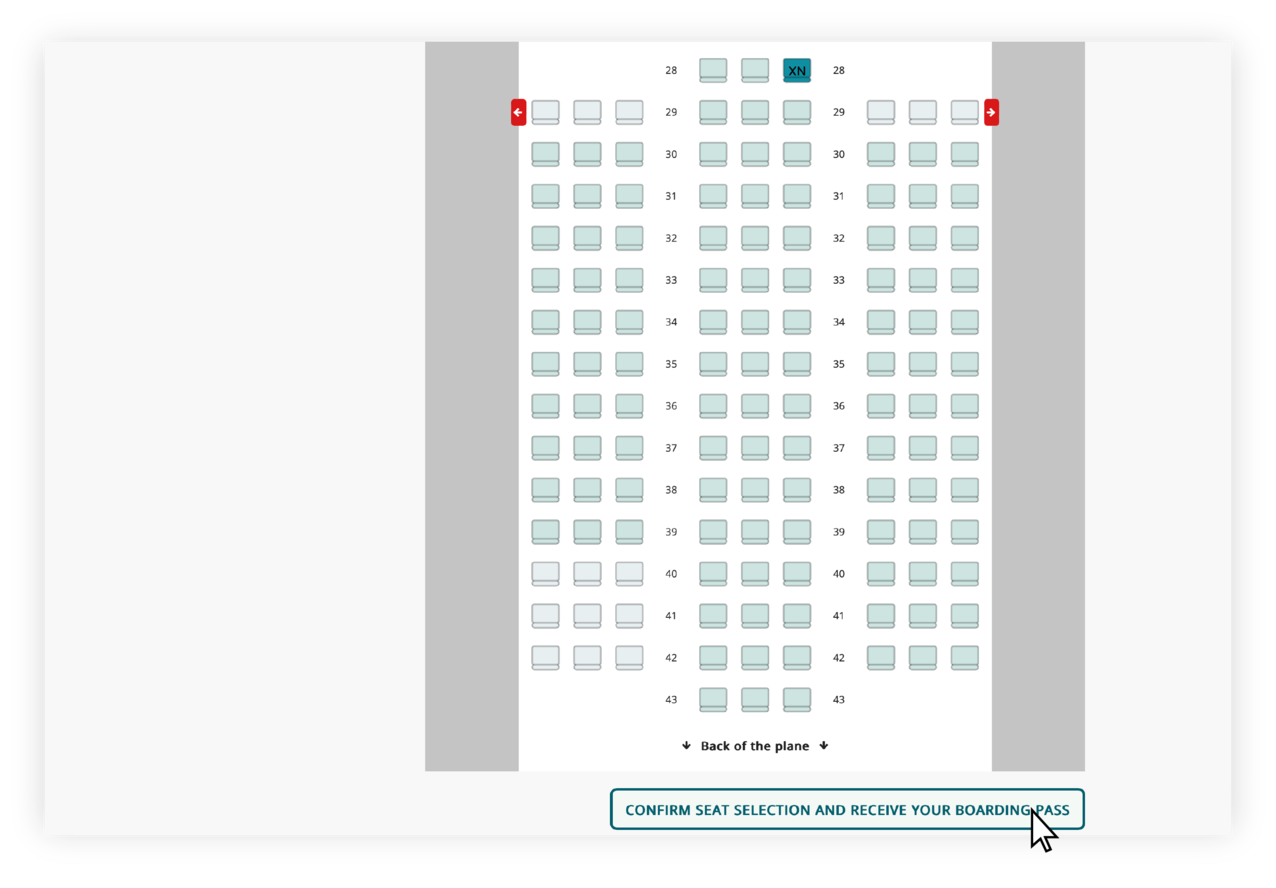
Step 5: Seat selection: Select seats on the seat map. After selecting the desired seats, click “Confirm seats and receive boarding passes”.
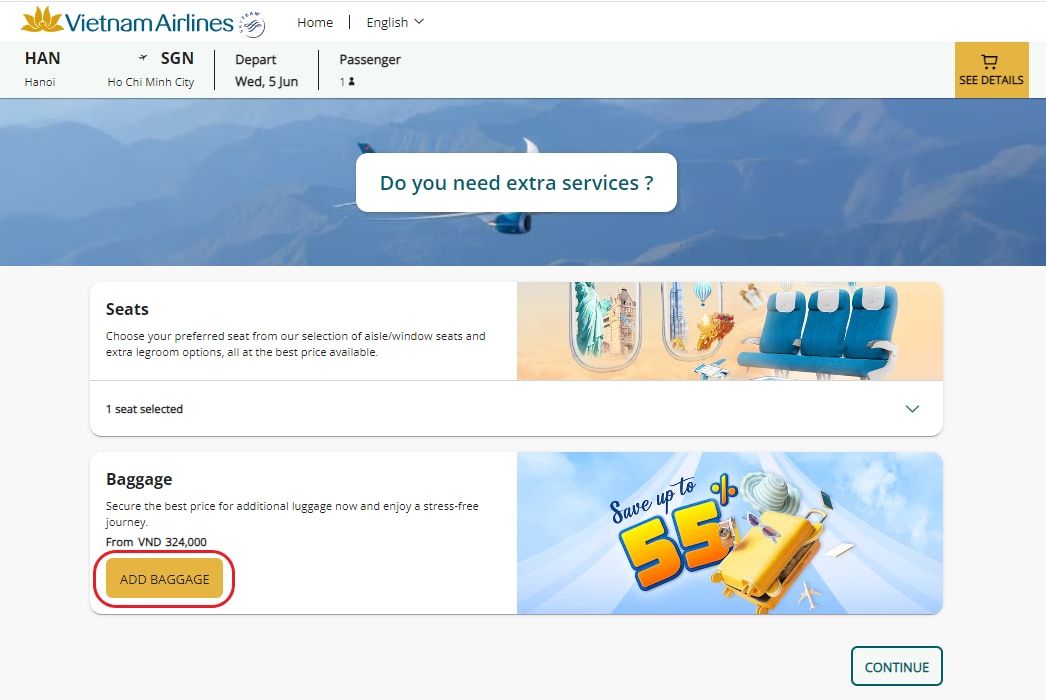
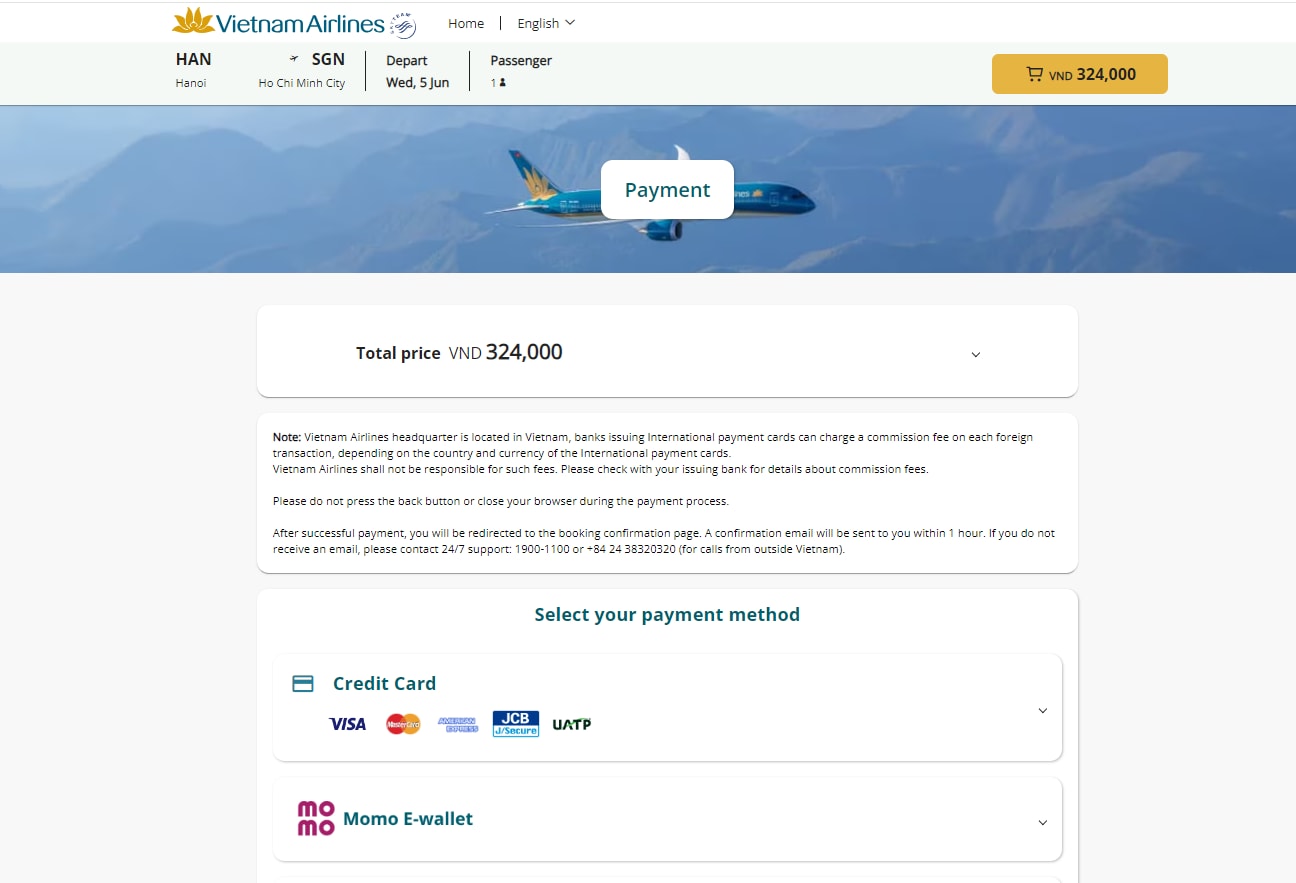
Step 6: After selecting a seat, passengers can purchase additional services, then click "Confirm" and make payment for the selected service.
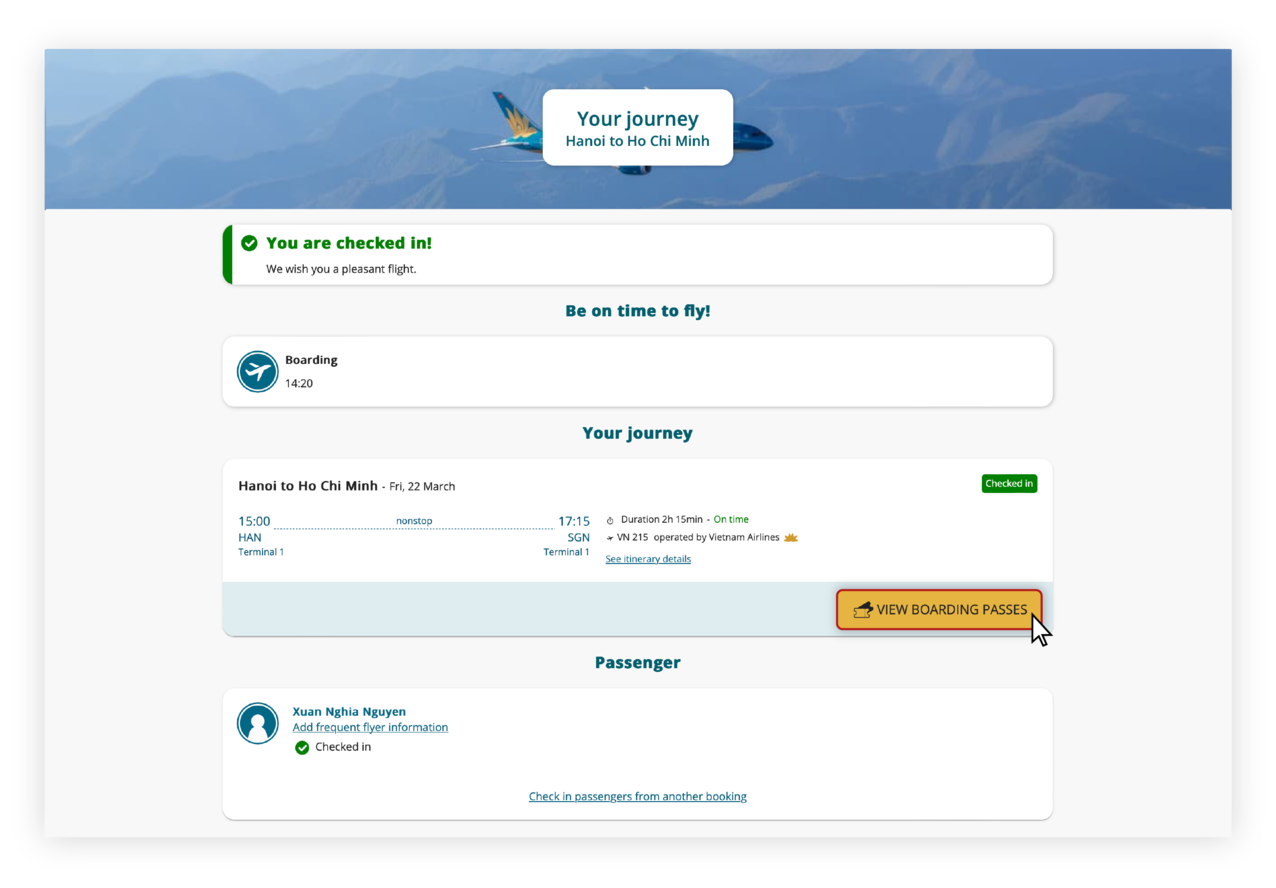
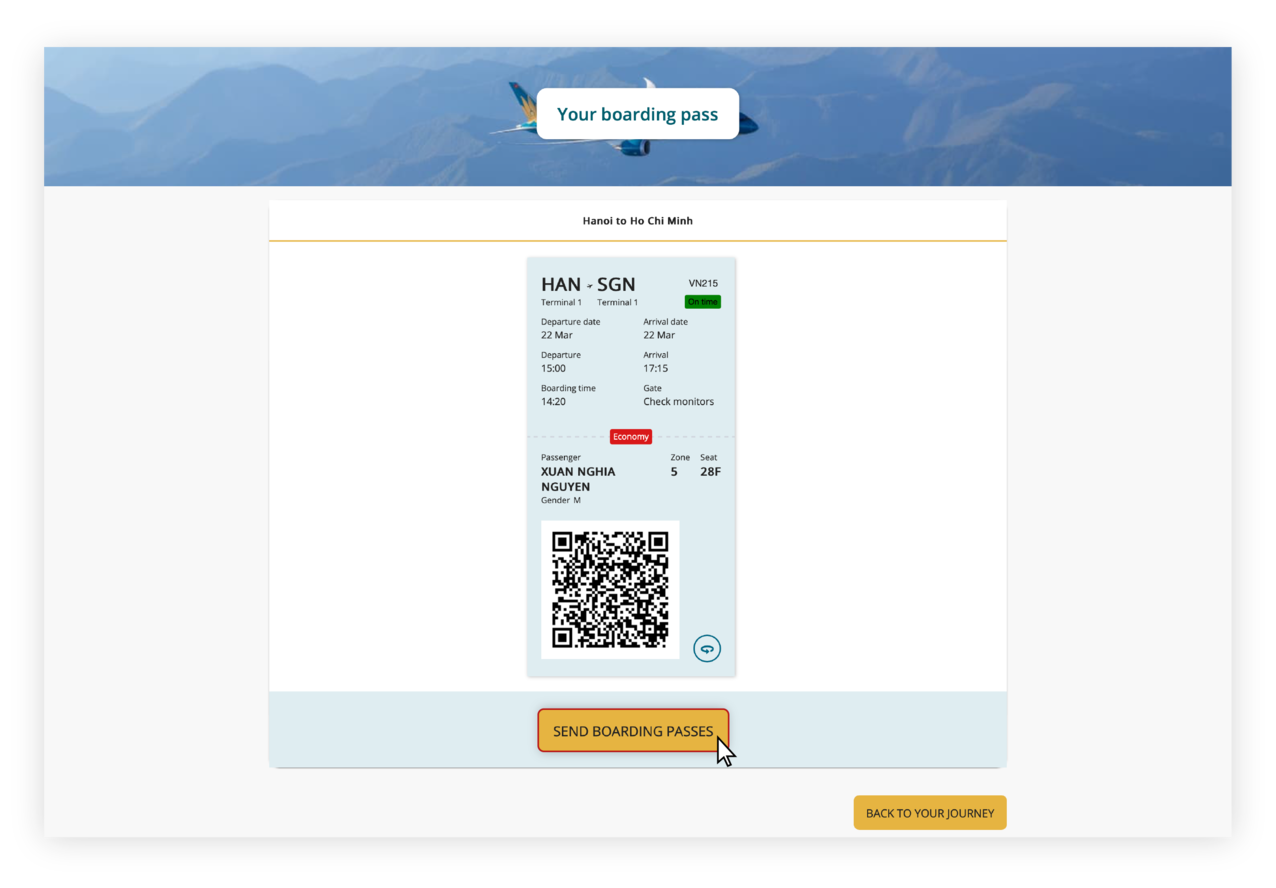
Step 7: At this step, passengers review their itinerary information and keep in mind the time they should arrive at the boarding gate. To receive a boarding pass, click “View boarding pass” and select “Send boarding pass”.
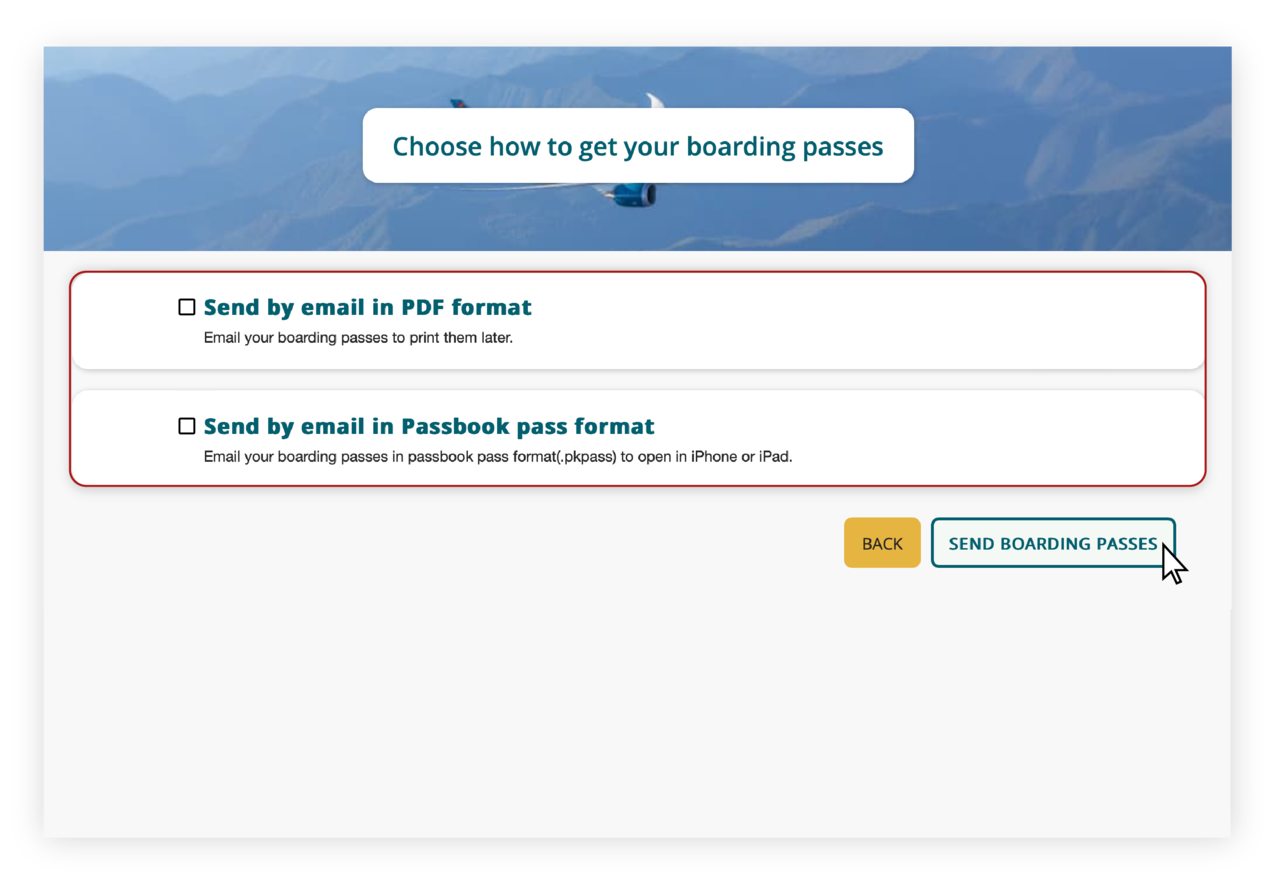
On the "Select how to receive a boarding pass" screen, passengers can choose whether to receive the boarding pass via email in PDF format or as a Passbook card (for use in an iPhone or iPad Wallet).
Related Information
Are you satisfied with the information found?
What make you dissatisfied with?
What make you dissatisfied with?
What can we do to improve this?
What can we do to improve this?
What information are you looking for?
What information are you looking for?
If you require a response, please access our Feedback page.
Service feedback.
0/200

Thank you for your feedback!
Note:  Link opens in new window. Site may not meet accessibility guidelines.






© 2025 Vietnam Airlines JSC
Contact Center for calls within Vietnam (24/7): 1900 1100
For Lotusmiles members: 1900 1800
For calls from outside Vietnam (24/7): +84 24 38320320
Email: Telesales@vietnamairlines.com
Certificate of Business Registration - No.: 0100107518, Initial registration made on 30 June 2010, the 10th registration of changes made on 24 July 2025.




You are about to leave Vietnamairlines.com

You will be redirected to a website that is not owned by Vietnamairlines and is not within our control. The site may not follow the same accesibility polices as Vietnam Airlines.
Would you like to continue?
Would you like to continue?
Notice

According to regulations of the Ministry of Finance, E-VAT invoices are only issued for payment in VND. In case of paying by other currency, please change website country/region.